Local Variables
Overview & DataGraph
In standard programming languages you have local and global variables. These variables can be used in expression and function calls. The local variables have two forms, one are variables that are handed in as arguments to the function, the other variables that are created inside the function and can only be used there.
In DataGraph the variables are in the lower left corner. They are all global, which means that commands like expression columns and drawing commands can use them without any setup.
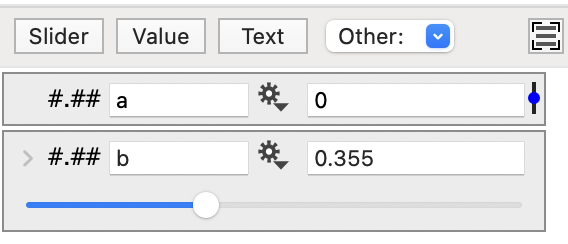
This makes using them very simple, the are some downsides however. When you have a large number of variables you have to make the names unique. When you change a variable name expressions in drawing commands become invalid.
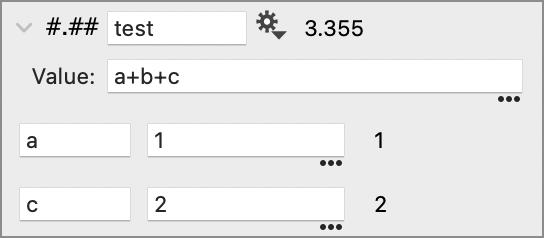
DataGraph does have local variables in location – the Expression method for a global number. Here the a and c values are defined only inside the test expression, while b is global.
Local Variables in ImageTank
In ImageTank, the data objects are global, in the sense that every object can reference them directly. The reference is not to the name however, so changing the name of the variable doesn’t break any setup.
Many, but not all, variable objects allow local variables. The objects that allow local variables have a + button in the top left of the detail view.
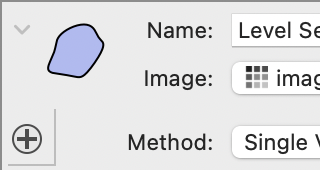
This button has two functions. You can click on the + to get a pop up menu where you can add local variables. You can also drag objects onto this + button as a shortcut to add a connection. Here is the standard pop-up menu, in some objects there are additional entries, for example to add an image to an image computation. The entries can then be references in any expression field inside the object.

Expression
‘Add Expression’ is a single numerical value. You specify the name for the variable and the value. You can reference values that are higher in the list, for example the second variable is defined in terms of the first one.

Slider
Creates a slider. This variable can not depend on local variables, but is useful when you want to change a parameter continuously. Click on the small blue slider button to the right of the numerical field.

Range
The range variable is there as a convenience rather than specifying the start and end as separate variables. You use the range by addressing the start and end of the range using the .min and .max suffixes.
