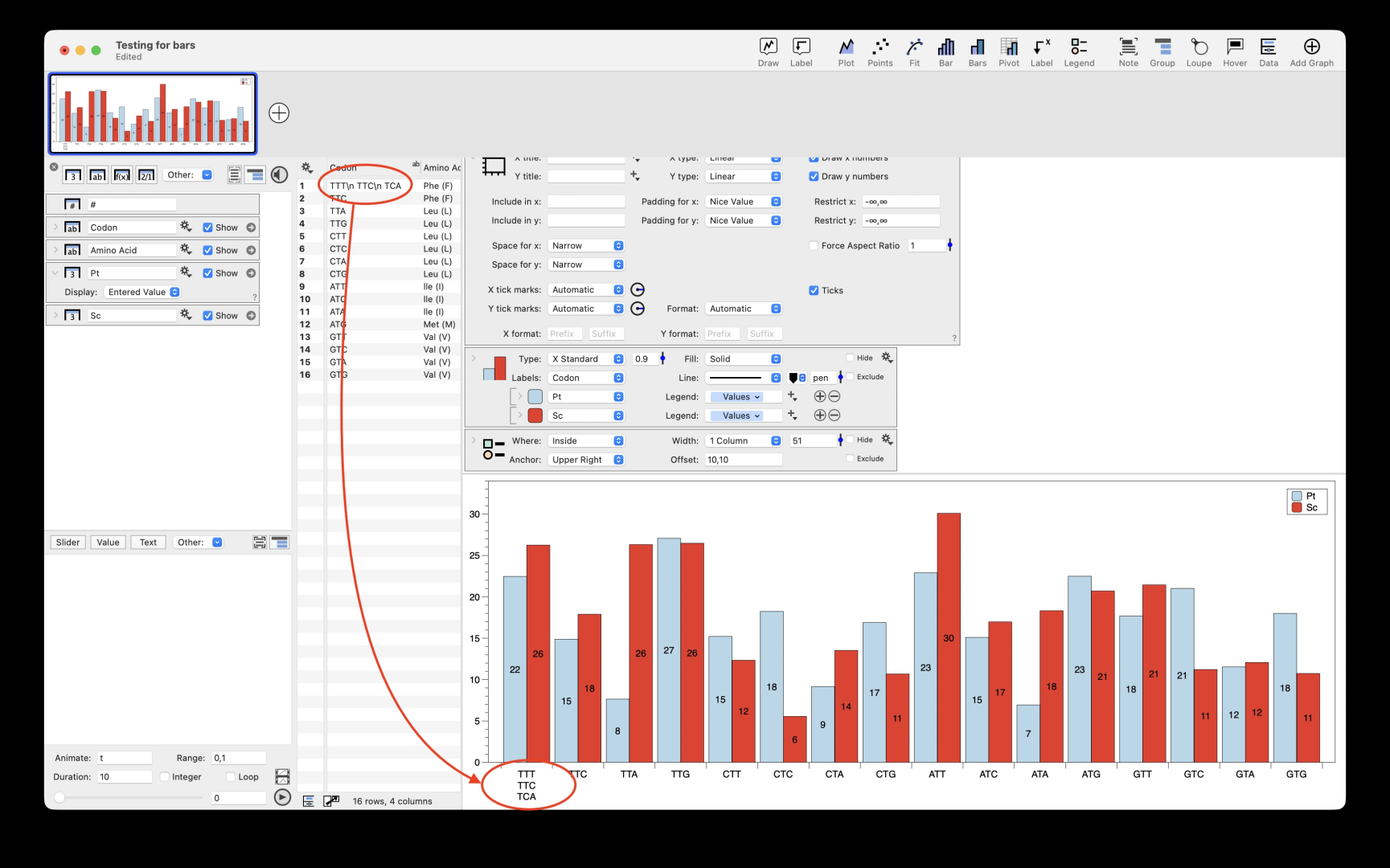
Is there any chance that your cell CODON:1 does actually contain TTT, TTC, TTA, separated by “hard return” characters? You would only be able to see the first line, TTT, in the table, but all three would show up in the legend…
I could reproduce something like Ronan’s phenomenon introducing the “hard return” with Shift+Option+Space keys. However, in this case the “hard return” is clearly visible if the Codon column is wide enough. Nothing was visible in Ronan’s picture…
Otherwise, I could not reproduce the exact formatting of the axis labels.
There’s one last (very unlikely!) possibility: TTT \nTTC \nTTA ! I don’t think it can be thus however, due to the centring.
(It’s great DG shows the hard returns with a \n – I’ve been bitten in other software where I’ve had no idea there’s a second line, hence the suggestion. And Return characters in filenames- I had no idea they were possible until I saw one….!!!)
That cell did have hard returns! I don’t know how they got there as I (believe) I hand typed it all in because I didn’t want to import the mess from the original file format that came from the web.
-was your column just not quite wide enough to show the \n characters? Or was it a different flavour of hard return, that didn’t show as a \n and actually did split the entry vertically?
Column was too narrow. And I swear I hand-typed (versus importing) the dat so I can’t figure out how I fat fingered all those extra characters.
After seeing the suggestion, I checked on a whim (and just to eliminate it from the issue) and saw that there were extra characters hiding in the cell.
ronald parsons.
 tom lawton
 Jean-Yves Le Stang
 ronald parsons